5 Essential Apps for Overseas Travel: Flights, Stays, eSIM, Tours, and Insurance
takayuki
Nomadrista

When traveling abroad, how do you stay connected to the internet?
With a Travel eSIM, you can connect your smartphone to the internet the moment your plane lands at your destination. There is no need to search for WiFi or buy a local SIM card.
I introduce ESIM4TRAVEL, the Travel eSIM service I personally use.
*ESIM4TRAVEL is the most cost effective and reliable Travel eSIM options available in 2026.
For example,ESIM4TRAVEL plans start from as low as $0.8 per 1GB.
After using your data, you can easily top up at the same rate of $0.8 per GB, which makes it simple to control your costs while traveling.
In this article, you will find a clear comparison of ESIM4TRAVEL pricing with other Travel eSIM providers, as well as a step by step guide on how to purchase and use eSIM4Travel during your trip.
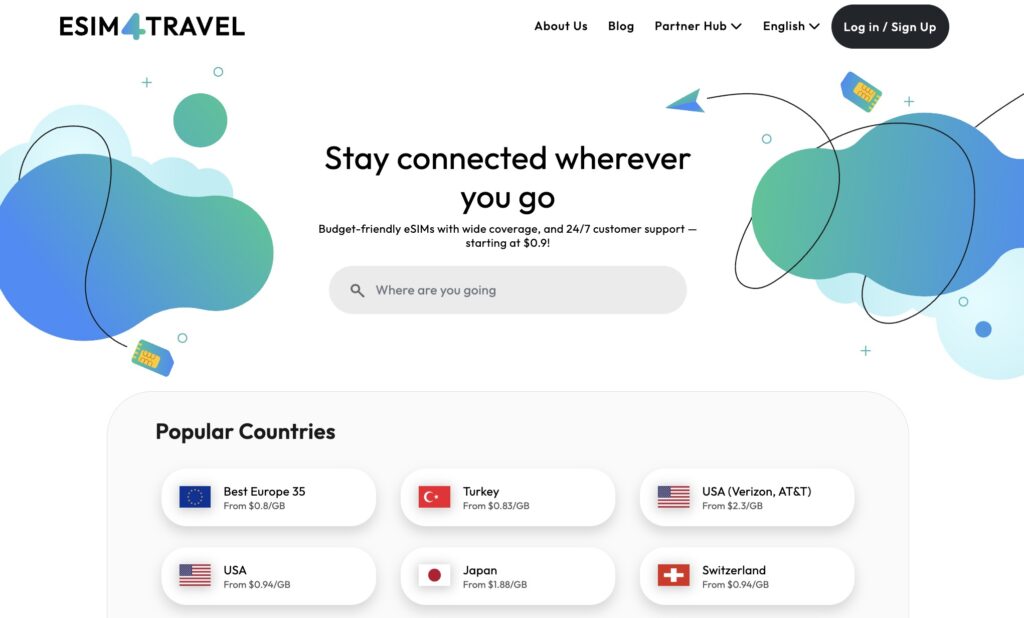
eSIM4Travel is a Travel eSIM service that allows you to use mobile data when traveling internationally without needing a physical SIM card.
I used to use “Airalo” because it was recommended by travel influencers.
However, now I know that ESIM4TRAVEL offers much better cost performance as a Travel eSIM.
For example, when comparing data plans for European countries, eSIM4Travel is clearly more affordable and gives better value for money.
| Date Plan | Airalo | ESIM4TRAVEL |
|---|---|---|
| 1GB | $5 (7 days) | $0.8 (1 day) $1.6 (7 days) |
| 2GB | $9.5 (15 days) | – |
| 3GB | $13 (30 days) | $5.77 (30 days) |
| 5GB | $20 (30 days) | $8.93 (30 days) |
| 10GB | $37 (30 days) | $16.83 (30 days) |
| 20GB | $49 (30 days) | $32.63 (30 days) |
| 50GB | $100 (30 days) | $68.98 (30 days) |
| 100GB | $185 (30 days) | – |
From my real experience, it worked smoothly not only in major European cities, but also in less common destinations such as Georgia and Albania. I had no connection issues at all.
If you want to save on mobile data costs and still enjoy a stable internet connection while traveling abroad, trying a Travel eSIM with a small 1GB plan is definitely worth it.
From here, I will explain how to use eSIM4Travel step by step, from purchase to activation, using real screenshots.
First, visit the official ESIM4TRAVEL website and create an account. The registration process is simple and only takes a few minutes.
Once your account is ready, you can choose a Travel eSIM plan that fits your destination and data needs, then proceed with installation and activation.
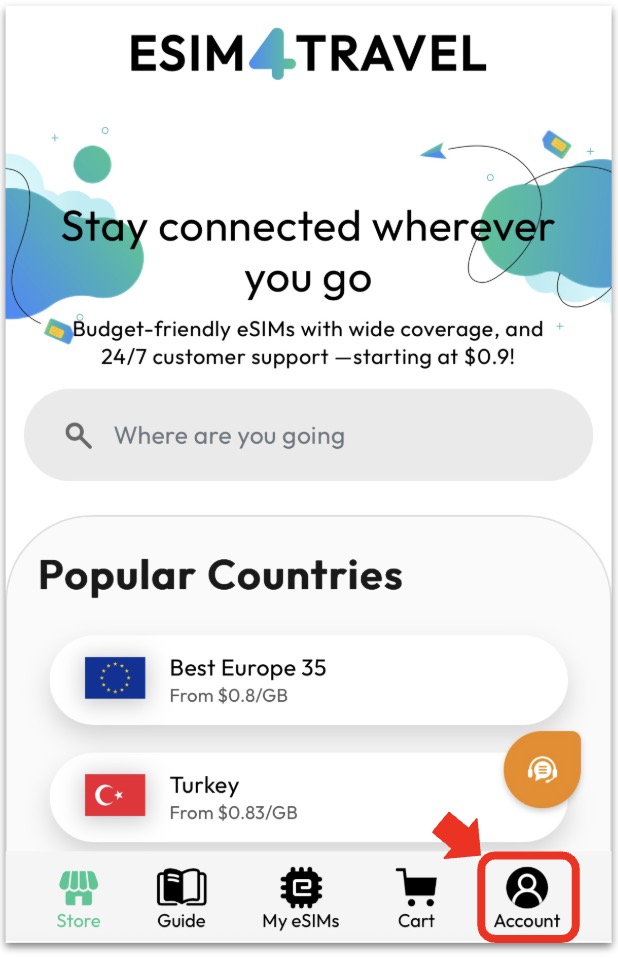
When you tap Account in the menu bar on the official website, the following screen will open.
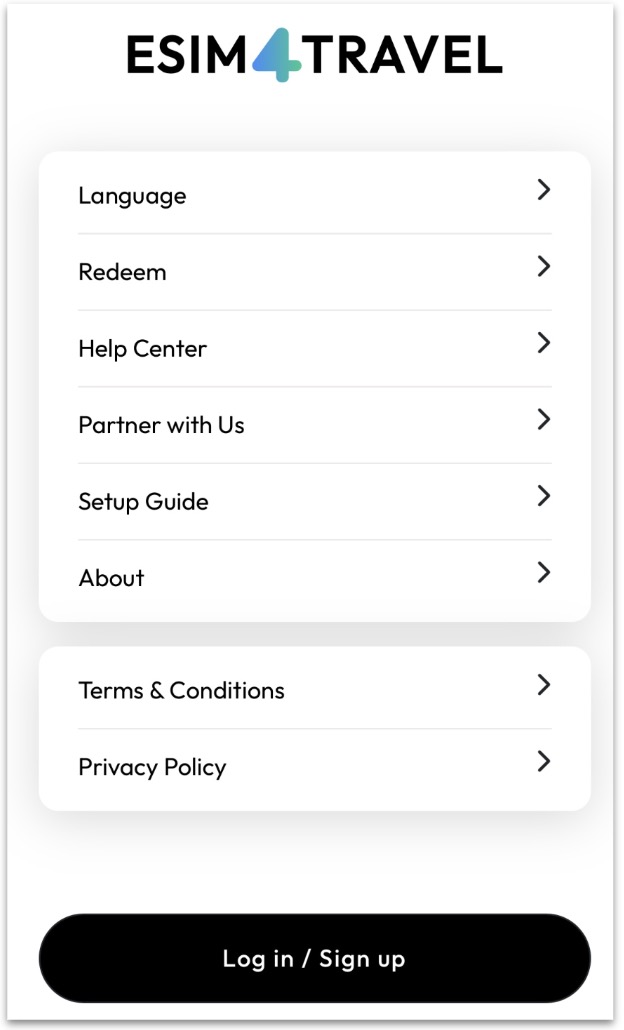
If this is your first time using ESIM4TRAVEL, you need to sign up and create an account. Tap Login / Sign Up to continue.
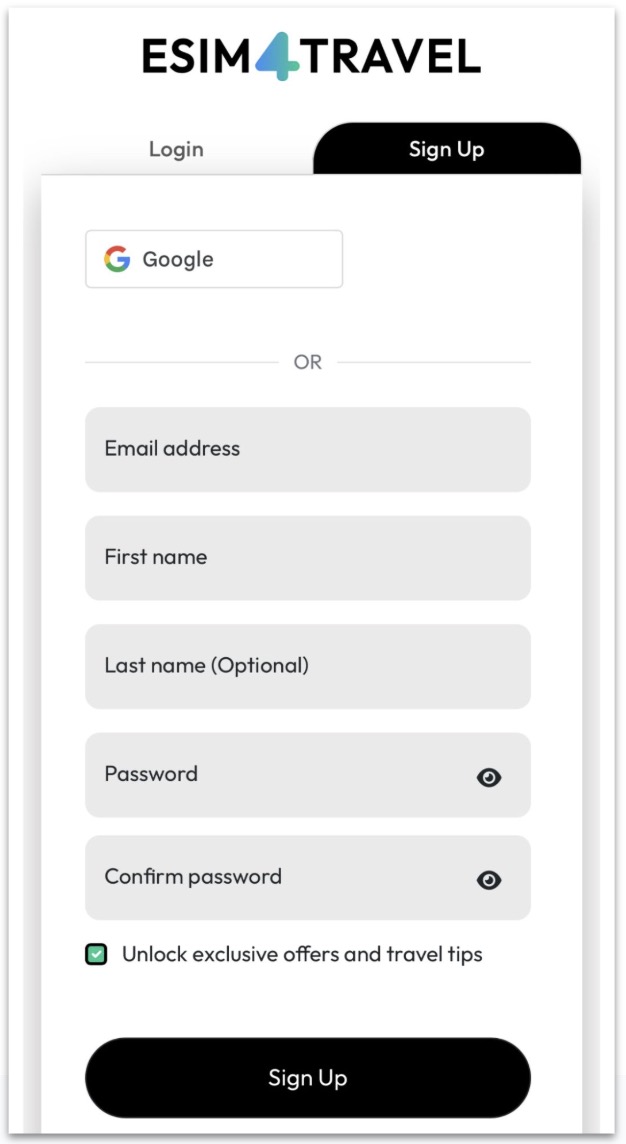
Follow the registration form and enter the required information, then tap Sign Up. A verification code will be sent to the email address you registered, so please check your inbox.
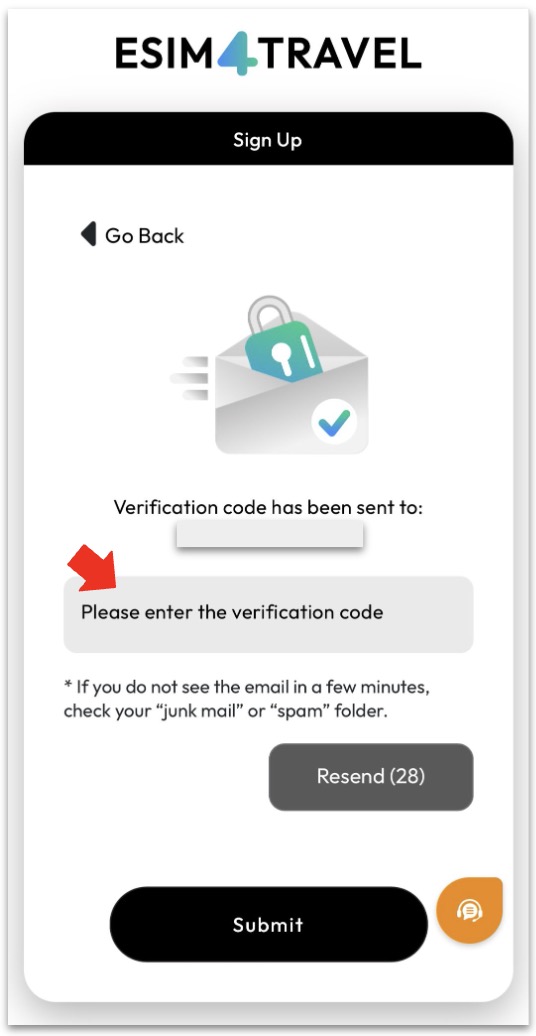
Enter the verification code from the email to complete the sign up process. Your account registration is now finished.
After that, you will see a message like “Hi, your name” displayed on the screen.
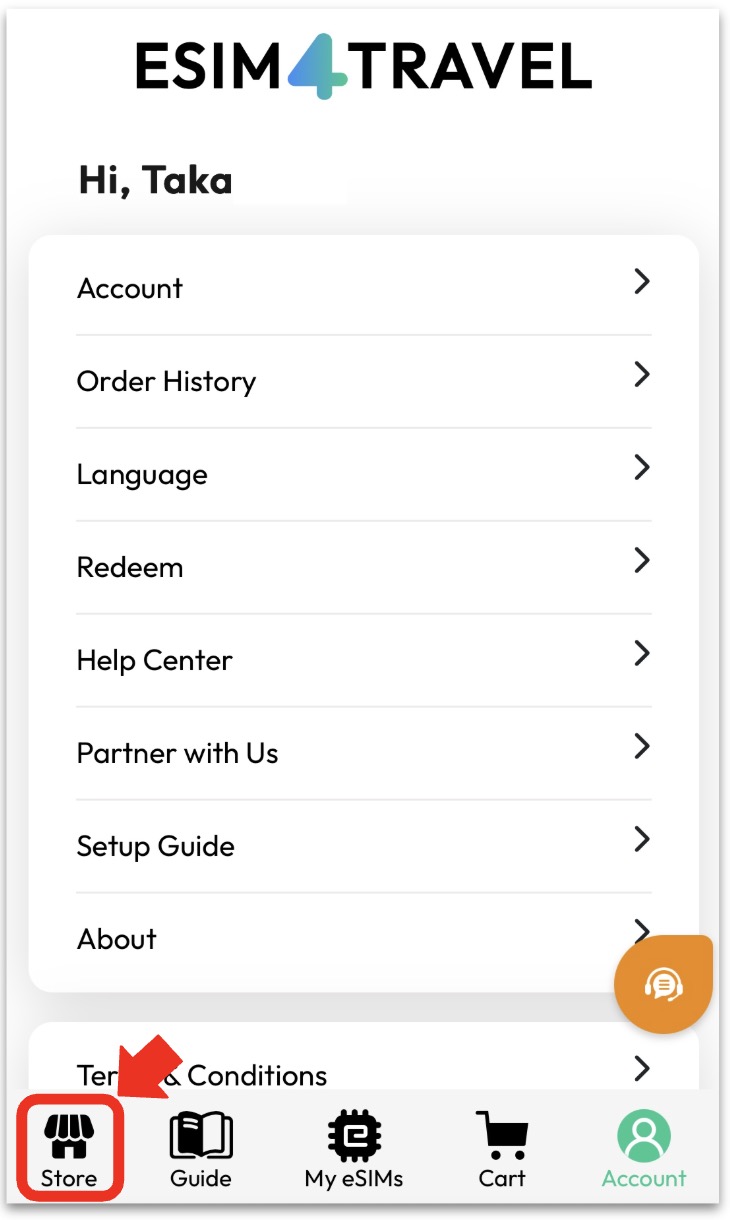
A screen will appear where you can choose a country or region. From this list, select the country where you want to use mobile data instead of WiFi.
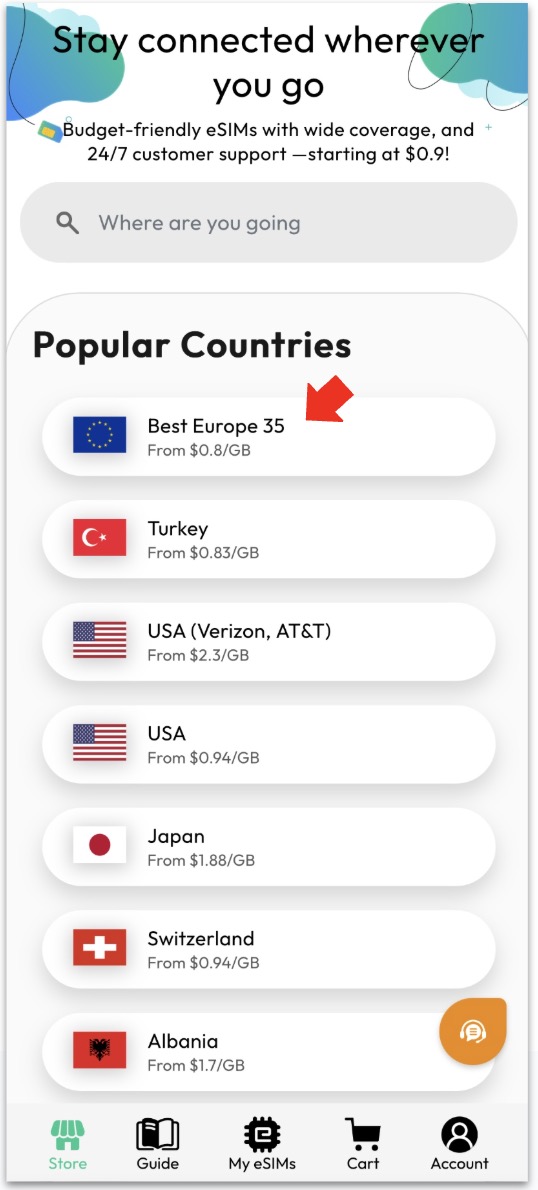
This time, I chose Best Europe 35. With this plan, you can use a Travel eSIM in 35 European countries under one single plan.
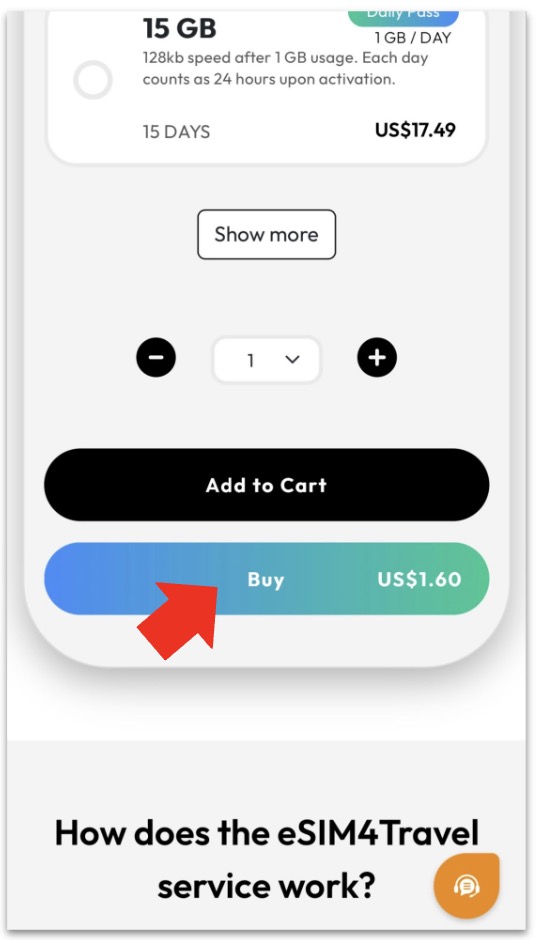
Scroll down the page and tap “Buy” to continue.
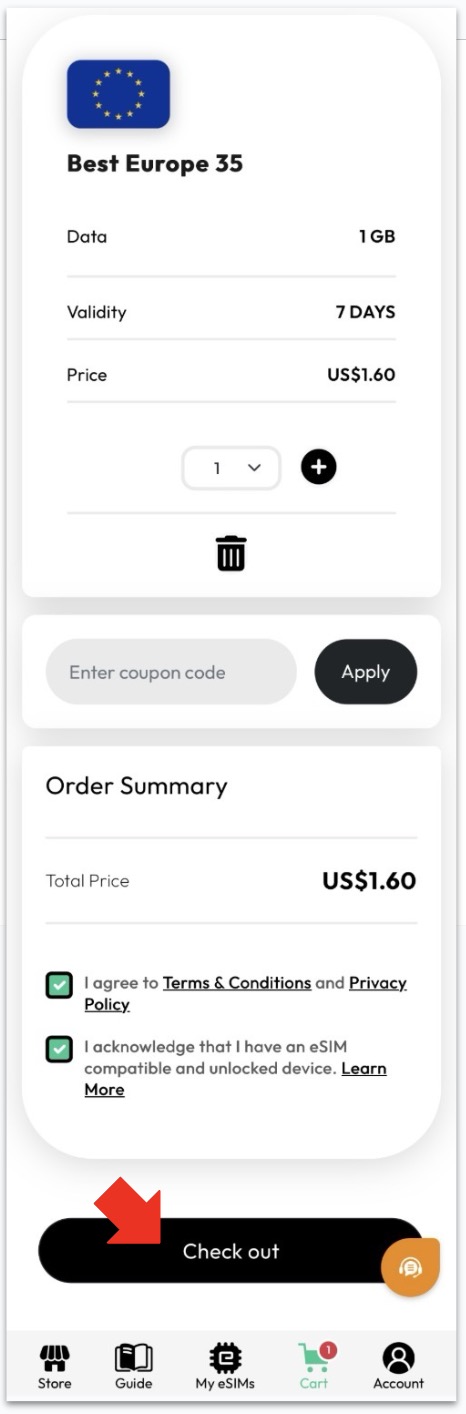
Review your selected plan, check the two required boxes, and then tap “Check out” to proceed.
Next, choose your payment method from the following three options.
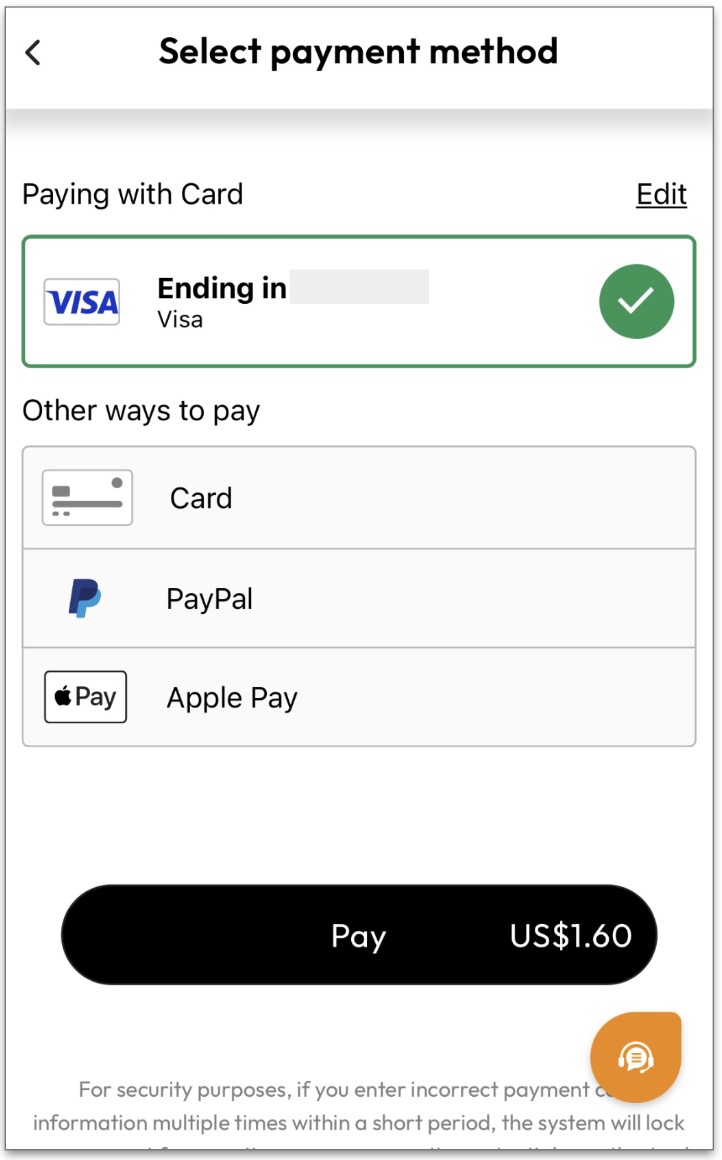
Once the payment process is completed, your eSIM purchase is finished.
After your purchase is complete, a screen will appear showing instructions on how to set up your eSIM.
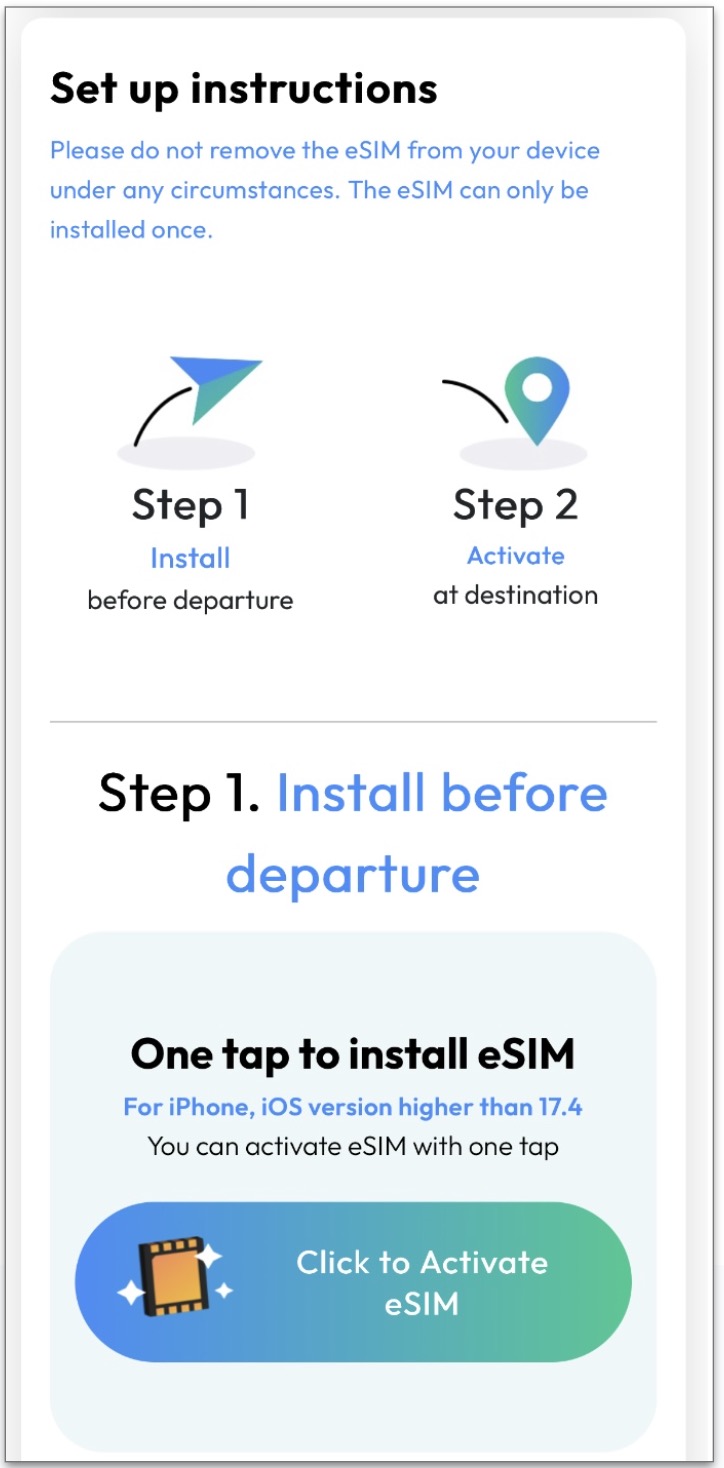
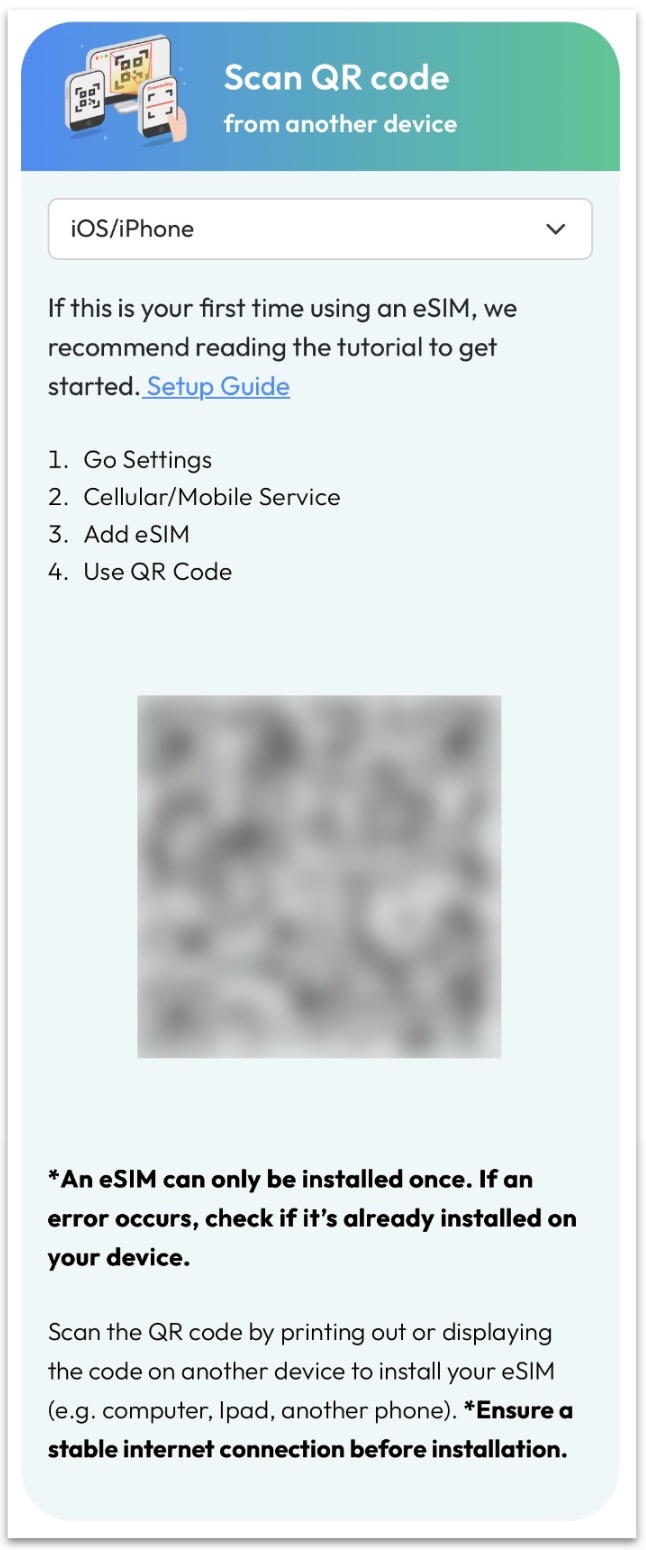
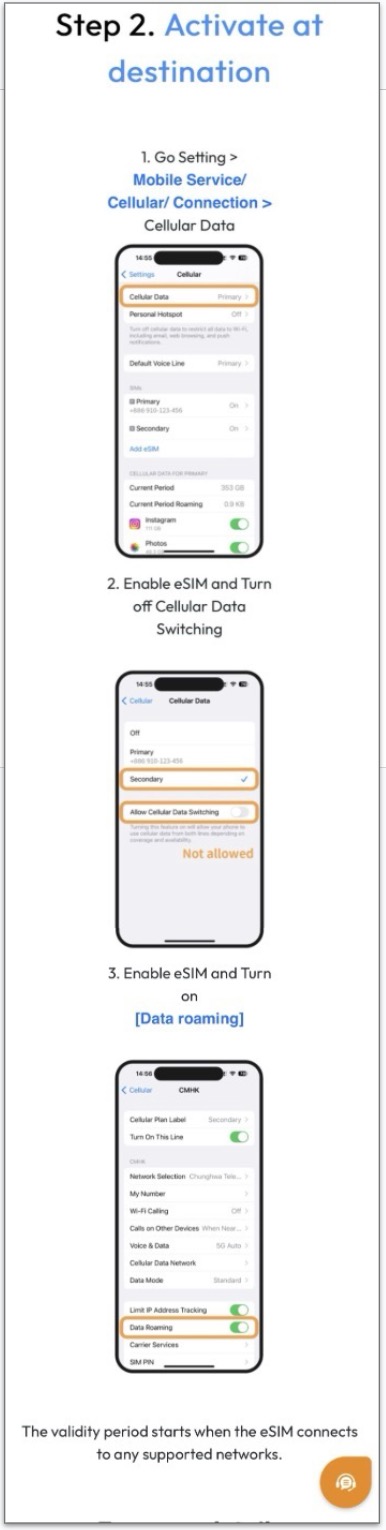
Follow the on-screen instructions to complete the setup.
Once complete, your eSIM will be set up and you’ll be able to connect to the internet on your smartphone while traveling.
You can check your data usage on the account page, as shown below.
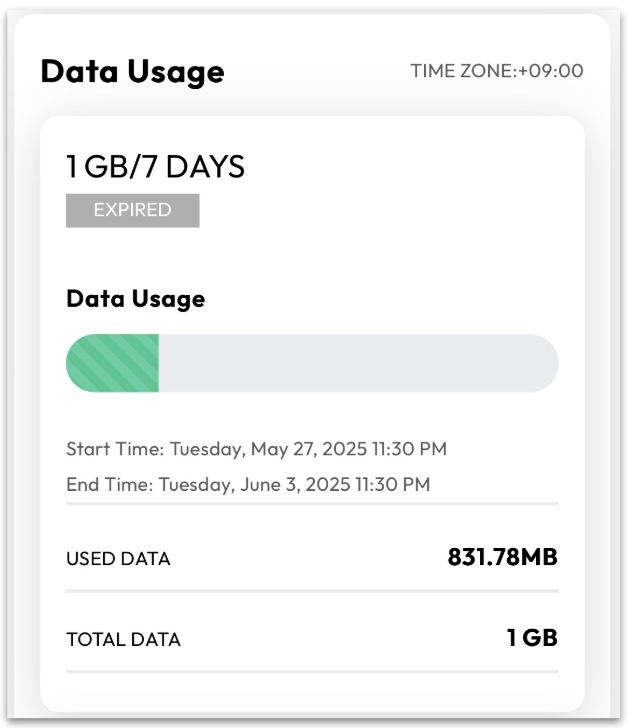
When your available GB runs out, you can easily top up your data from the same page.
If you are not sure how to set it up, or if you cannot connect to the internet even after completing the setup, please send a message to customer support.
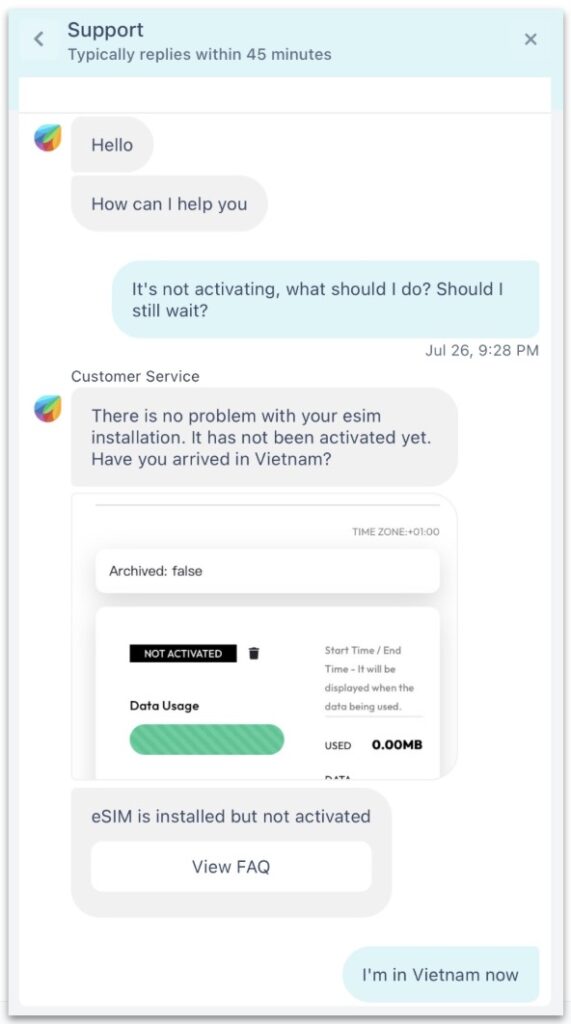
They usually reply quickly and provide clear, helpful instructions to solve the issue.
That’s all!!
Get a fast and comfortable internet connection for your trip with ESIM4TRAVEL today 🙂